Customer portal requirements: write a useful brief
Customer portal requirements should describe what a customer can finish, which records they can access and what staff do when something goes wrong. Start with one complete task. Use the annotated brief below to define its boundaries, then give suppliers concrete examples they must demonstrate before you accept the portal.
In this article 8 sections
Start the brief with the job customers came to do
The following B2B print supplier is hypothetical. Adapt this proposed brief and its acceptance examples to your operation, checking assumptions with customers and staff.
A customer needs to submit a print job with artwork, approve a specific proof revision and retrieve the final approved production file and job record. “Dashboard, notifications, document storage” would leave the difficult decisions open. The brief needs to follow that print job through production and back to the customer.
The GOV.UK guide to writing user stories connects the person, their need and their goal. Its acceptance criteria describe outcomes used to check that the need has been met. A buyer can use that public-service method to ask for a demonstration.
Annotated brief: purpose, owner and first release
Copy these fields into your project document. Each annotation explains a decision. Replace the example answers before approaching suppliers.
- Purpose: a customer can submit a print job and artwork, approve its proof and retrieve the final approved file and job record. Annotation: this defines the complete task the first release must support.
- Business owner: the operations manager decides production rules and accepts the portal. A named deputy handles decisions when they are absent. Annotation: “the business” cannot resolve a disputed requirement.
- First-release scope: invited business customers, PDF artwork submissions, proof approval, approved-file downloads and completed job records. Changes requested after production approval go to the production coordinator for review. Annotation: the manual exception is part of the proposed service.
- Deferred: online payments, public registration and live courier tracking. Annotation: a supplier should identify dependencies on these items before estimating the agreed scope.
- Evidence to collect: a redacted print-job instruction, revised artwork and the corresponding approved proof. Observe whether a customer can identify which revision they are approving. Annotation: agree how you will assess the proposed service.
Specify access in business terms
For this example, a requester sees jobs for their own company and uploads artwork. A designated approver can release a proof for production. Internal production staff manage assigned jobs. The operations manager controls invitations and role changes. Confirm whether customers need access across several branches or companies before choosing an account structure.
Microsoft Power Pages documentation distinguishes contact access from account access and associates table permissions with web roles. Those are Power Pages mechanisms. They show why “customers can log in” leaves the record boundary unresolved; another product needs its own capability check.
- Acceptance example: given a requester for Company A, opening a saved link to Company B’s artwork does not reveal the file or its customer details. Repeat with the final-file download link. Record the expected refusal message.
- Acceptance example: given a requester without approval rights, the portal does not let them release a proof for production, including through an old approval link. The authorised approver can complete the same action.
- Acceptance example: after the operations manager removes a customer’s access, their existing session cannot retrieve another file. Ask the supplier to explain and demonstrate how revocation takes effect.
Separate job status from document availability
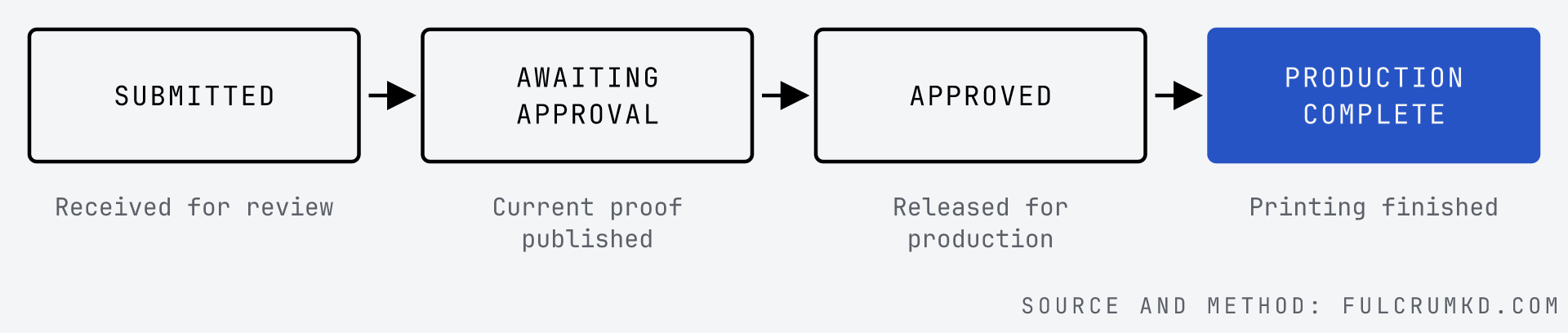
The proposed job states below describe progress through production. Document availability needs a separate field: “pending” or “available to download” for each customer-facing file. Production can finish while publication of the final file is still pending.
Example requirement: submitting a valid request creates a reference and displays confirmation. “Submitted” means received for review. It does not mean the artwork is ready to print. Staff review it before publishing a proof for approval.
Acceptance example: given a missing artwork file, submission explains what is needed and keeps the job details. Given a valid PDF upload, the customer sees its filename and the job reference. Agree supported file sizes before development and include an oversized-file example in acceptance.
Proposed print-job states
Write the exception before approving the design
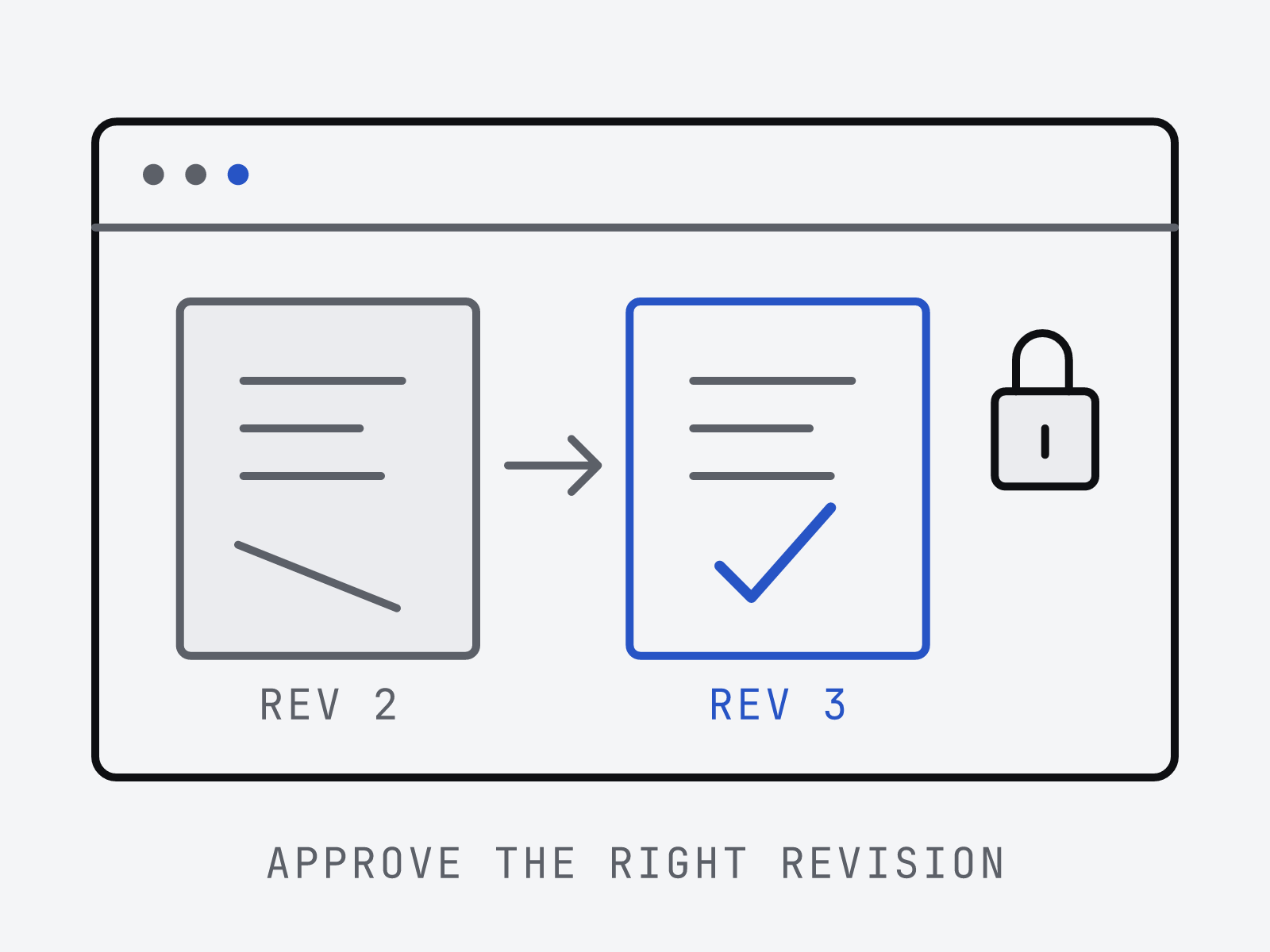
A revised proof is the awkward case. In this brief, publishing a replacement proof withdraws the previous revision from approval. The customer sees the revision identifier beside the preview and approval action. Production staff need the approved revision, not whichever file was uploaded most recently.
Acceptance example: given proof revision 2 awaiting approval, when staff replace it with revision 3, an old link cannot approve revision 2. The customer sees that the proof changed and can review revision 3. The approval record identifies the approved file revision, approver and time.
Acceptance example: if the customer requests a correction, production remains unapproved and the coordinator sees the request against that proof revision. If artwork changes after production approval, the portal sends it for staff review without promising that printing has stopped. The operations manager supplies the actual production-change policy.
Ask the supplier to replace the proof during the demonstration, with customer and staff using their intended access.
Give staff a way to finish failed handoffs
The proposed job-management system owns production status; the portal displays it. The approved-file record identifies the revision authorised for production. Name the actual systems and explain what happens when an update cannot reach the portal. Use the business-systems approach to trace the internal handoff behind the customer screen.
Acceptance example: given a production-complete job whose final-file transfer fails, the portal shows “production complete” and “final file pending”. The coordinator can find the affected job and retry after correction. Once available, the download matches the approved revision and the job record identifies that revision.
Also test a customer who cannot use the portal. In this example, the coordinator can record their instructions and proof approval through an agreed assisted route. Decide what approval evidence staff must keep; the software supplier needs that rule.
Reuse this requirement card for each customer task
Keep one card per task and attach sample records with sensitive information removed. Mark unanswered fields as decisions to make. A supplier should be able to explain how its proposed solution passes each example.
- Task and purpose: [role] needs to [finish an action] so that [business or customer goal].
- Record boundary: [which company, site or person’s records] can be [viewed or changed] by [role].
- Completion: [record and visible confirmation] show the task is finished; [system] owns that fact.
- Exception: when [changed, missing or rejected information], [role] sees [message or queue] and can [next action].
- Acceptance evidence: given [starting record and access], when [action], then [observable result]. Include a refused action or failed handoff.
- Operating owner: [named person] resolves business questions; [agreed support contact] handles technical faults. Link the relevant support arrangements.
- Scope decision: [included or deferred], with [reason], [decision owner] and [unresolved dependency].
Use the brief to check product fit
A portal for billing may cover a different job from a portal for print jobs. Stripe’s customer portal documentation describes billing information, payment methods, invoices and subscriptions. It also lists limits on subscription changes, including subscriptions with multiple products. Check your particular billing setup against those limits.
Check each candidate separately against the completed cards. Stripe’s documented billing scope does not demonstrate support for this print workflow. The existing build, buy or connect guide explains how to compare the routes once the task is clear.
Before accepting delivery, have the operations owner walk through the examples and record unresolved items and their owners. Agree the handover and support responsibilities alongside that decision.
Sources note: official GOV.UK, Microsoft and Stripe documentation was fetched on 14 October 2026. The hypothetical brief is an editorial starting point for scoping; a real project still needs its technical and security requirements.
// read next
- Software discovery: what you should receive
Review software discovery deliverables before commissioning a build. Check the workflow map, evidence, recommendation and sample decision record.
- Business systems integration: plan the handoffs
Plan business systems integration around reliable handoffs. Set record ownership, handle retries and exceptions, and roll out with a reusable handoff card.
- Custom software cost: what changes a business quote
Compare custom software quotes by scope, data work and operating costs. Use a practical worksheet to expose assumptions before comparing supplier totals.